Aerosmith
Aerosmith is a Stern pinball machine released in January 2017, built around nine famous Aerosmith songs that each set a timed mode and determine which shots are lit on the playfield. It is notable as the first Stern release designed with its LCD in mind, and Jacky, the jester behind the toybox, taunts the player throughout play.
Choosing and playing songs
- You select a song at the start of each ball with the flippers, and each song runs a 60-second timed mode where lit shots fill in the flower on the display.
- Making lit shots during a song lights Crank it Up at the left scoop, which boosts mode scoring and generally makes the mode easier to win.
- Coins earned from lit shots during songs set the value of the super features that light after you complete a mode.
- Lit shots can be spotted by pressing the action button to use a smart missile, which favors the shots furthest to the left.
Main multiballs
- Toybox Multiball starts by shooting the toybox and then the lock saucer, and you can press the action button to abort it after enough balls are locked.
- During Toybox Multiball you work through jackpots at the eight shots, with a super jackpot on the eighth.
- Elevator Multiball is qualified by collecting three elevator locks, which are lit by shooting both orbits.
- During Elevator Multiball, all major shots light for jackpots and you must work through them before the super jackpot is available at the elevator.
Wizard modes
- Medley Multiball is qualified by scoring at least one award in all songs and is started by shooting the left saucer.
- Medley Multiball is a stage-based multiball where completing each song's task adds a ball and moves you to the next stage.
- Final Tour is a frenzy qualified by completing all nine songs, where you advance through 24 cities by completing sets of eight shots.
Other scoring features
- Completing the AEROSMITH targets lights shot multipliers and the mystery award at the left eject.
- Skill shots at the lock saucer and the right flipper award points and smart missiles.
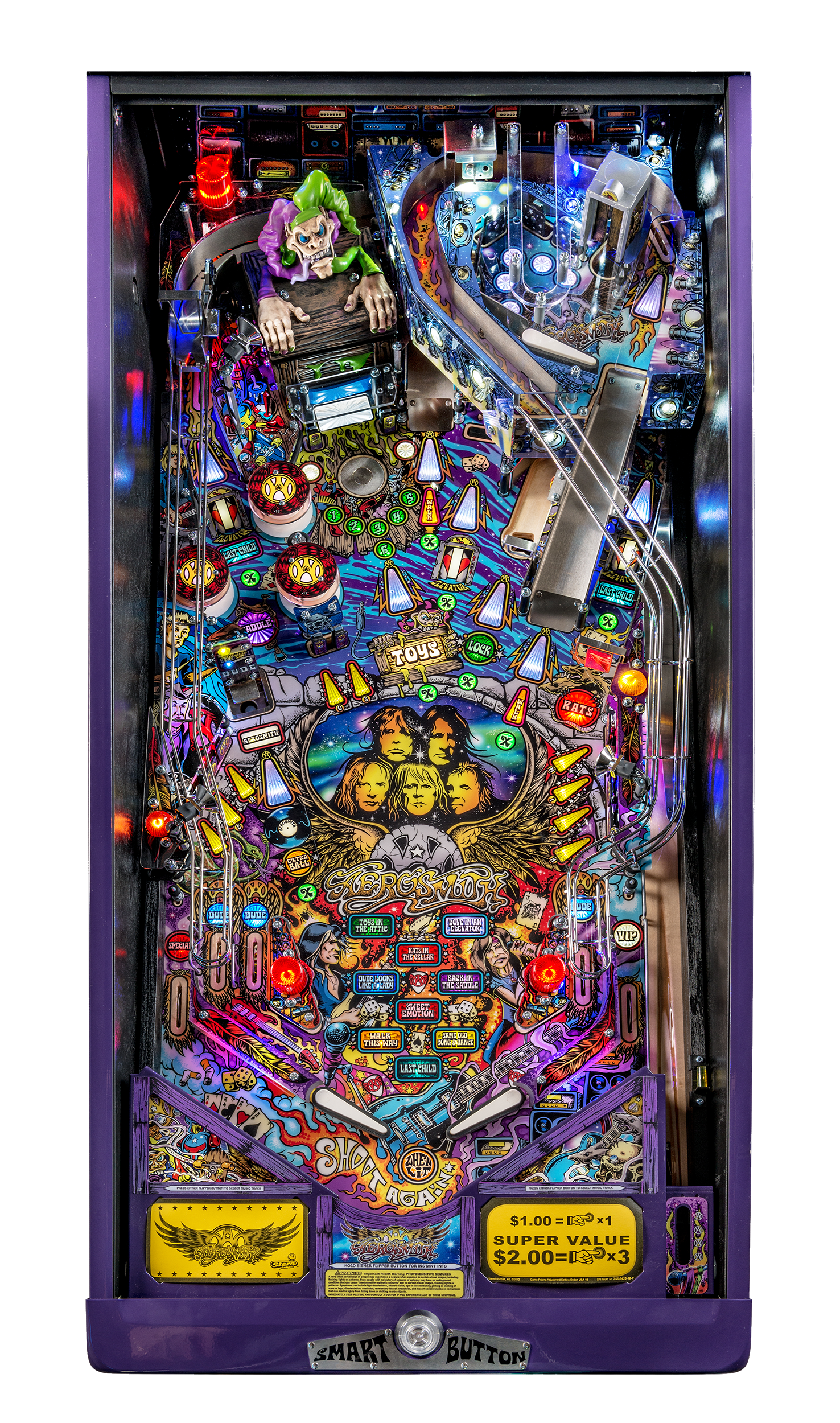
Playfield
Design team
- Software: Waison Cheng
- Design: John Borg
- Art: Donny Gillies (Dirty Donny)
- Animation: Zac Stark
- Callouts: Brendon Small
- Animation: Chuck Ernst
- Software: Mike Kyzivat
- Software: Lonnie D. Ropp
- Animation: Mark Galvez
- Sound: Bob Baffy
- Sound: Ken Hale
Sources
This overview was written by Pinguide's AI from the sources below. For rule details that matter, check the original rulesheet.
- pinballrulesheets.com (opens in a new tab) ↗
- sternpinball.com (opens in a new tab) ↗
- kineticist.com (opens in a new tab) ↗
Updated 2026-11-22.