Avatar: The Battle for Pandora
Avatar: The Battle for Pandora is a 2024 JJP pinball machine designed by Mark Seiden, based on the first Avatar film and its sequel The Way of Water, in which the player takes on the role of a Na'vi resisting the RDA. It stands out for its layered event system, where flipper-fired arrows boost multipliers and songcord and Sivako modes, multiballs, and eclipse jackpots all feed into the PANDORA letters that build toward the Eywa'Eveng wizard mode.
Ask Pinguide about Avatar: The Battle for Pandora
Starting multiball
- Multiball is started by locking balls at the orbits once the center targets for Battle of the Hallelujah Mountains are complete.
- Battle of Awa'Atlu begins by raising the scoop ramp with the flippers, then defeating the RDA crab suit on the lower playfield.
- Hitting any lit shot during a multiball lets you gather lost arrows by mashing the action button.
Sivako and songcord modes
- Shooting one of the eight major Sivako starter shots three times launches a Sivako mode, and flashing shots inside the mode complete it.
- Songcord modes are built from collected tokens shown on the playfield, and each completed songcord mode awards a PANDORA letter.
- Lit shots during these modes let you replenish arrows with the action button to keep your multiplier up.
Arrows and lane awards
- Ramps feeding the inlanes add arrows that raise the multiplier for the next mode, up to a maximum of 4x.
- Completing the kids targets on the far right lights lane awards, which cycle with the flippers.
- Max Toxin and Unlimited Arrows are two lane awards that help you take full advantage of the arrow multiplier.
Where to start
- Use the action button to select a super skill shot at the start of each ball, and plunge carefully.
- Complete the eight bond combo shots, then shoot the scoop to cash in the bond jackpot.
Playfield
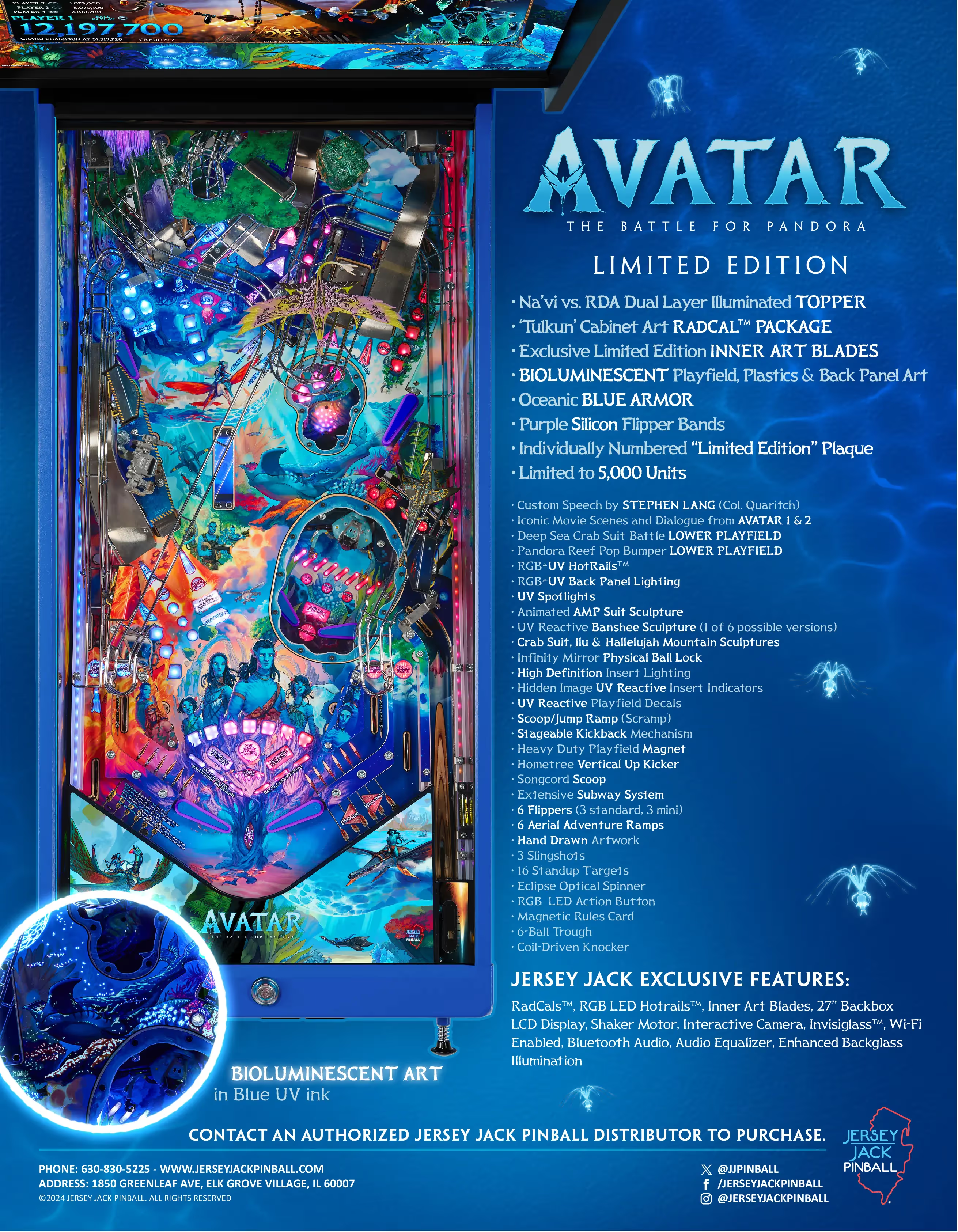
Design team
- Design: Mark Seiden
- Callouts: Stephen Lang
- Mechanics: Rachael Freriks
- Art: Lea Faske
- Software: Keith P. Johnson
- Animation: Jean-Paul de Win
- Mechanics: Dan Molter
- Animation: Mark Molitor
- Software: Taylor Snyder
- Software: Jason Allen
- Animation: Olaf Gremie
- Mechanics: Nick Jensen
- Mechanics: Ernesto Velazquez
- Mechanics: Dan Lachcik
- Mechanics: Tony Tumminaro
- Mechanics: Luna Silverfang
- Mechanics: Eric Miller
- Music: Stemage
- Sound: Stemage
Sources
This overview was written by Pinguide's AI from the sources below. For rule details that matter, check the original rulesheet.
Updated 2026-11-22.