Black Knight: Sword of Rage
Black Knight: Sword of Rage is a 2019 Stern pinball machine by Steve Ritchie that continues the Black Knight series, pitting the player against a set of monsters before a final duel with the Black Knight himself. It stands out for its interactive Black Knight toy with a motorized flail and sliding shield, its Magna-Save magnet, and a sequence of timed monster battles that build toward a wizard mode.
Ask Pinguide about Black Knight: Sword of Rage
Monster Battles
- Qualify a battle by shooting the three center shots to light the ramp, then shooting the ramp to start a battle at the saucer behind the shield.
- Each battle has a mode timer shown at the top right of the display, and time can be added by hitting the Add Time standups on the left.
- Completing a battle lights an extra ball at the saucer behind the shield, and winning all five battles qualifies the final battle, Black Castle.
- Modes in progress carry over from ball to ball, so you can return to an unfinished battle later.
Multiball Modes
- Triple Knights Challenge starts by locking three balls after using the light lock target to set up locks at the saucer behind the shield.
- Catapult Multiball is exclusive to the Premium and Limited Edition machines and starts by locking three balls in the upper-playfield catapult.
- KNIGHT Multiball becomes available after completing the KNIGHT letters and shooting the left spinner lane, and it multiplies playfield values by the number of active balls.
- The King's Ransom is a minute-long three-ball multiball unlocked by completing KNIGHT for a second time in a game.
Wizard Mode: Black Castle
- Black Castle is a 200-second timed mode unlocked after all five monster battles have been won, and it is always the last battle played in a cycle.
- To win it, you must complete the four outer loop shots, which are lit by hitting the three inner shots.
- Finishing Black Castle scores a bonus based on the remaining time and starts Rage Multiball, a six-ball multiball.
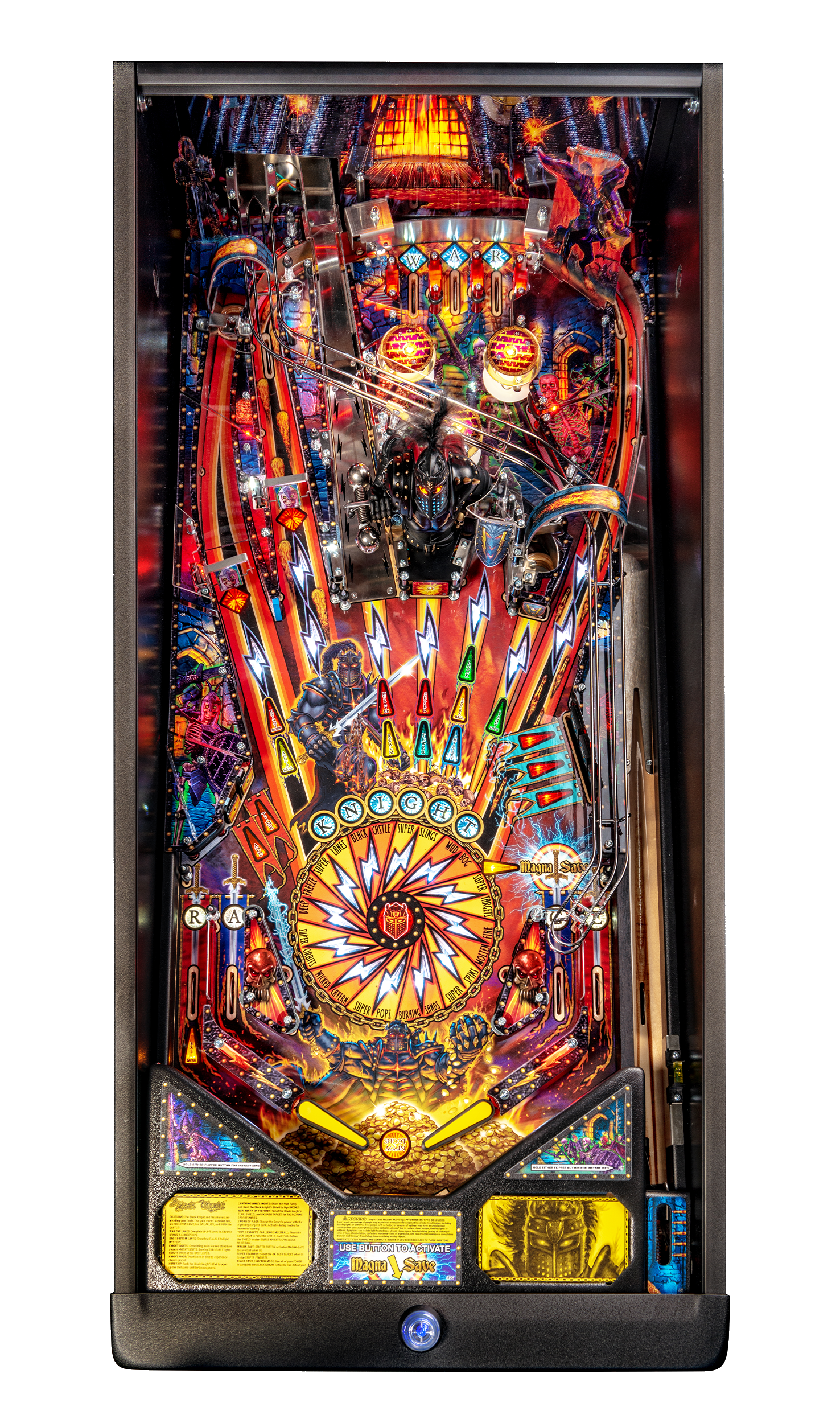
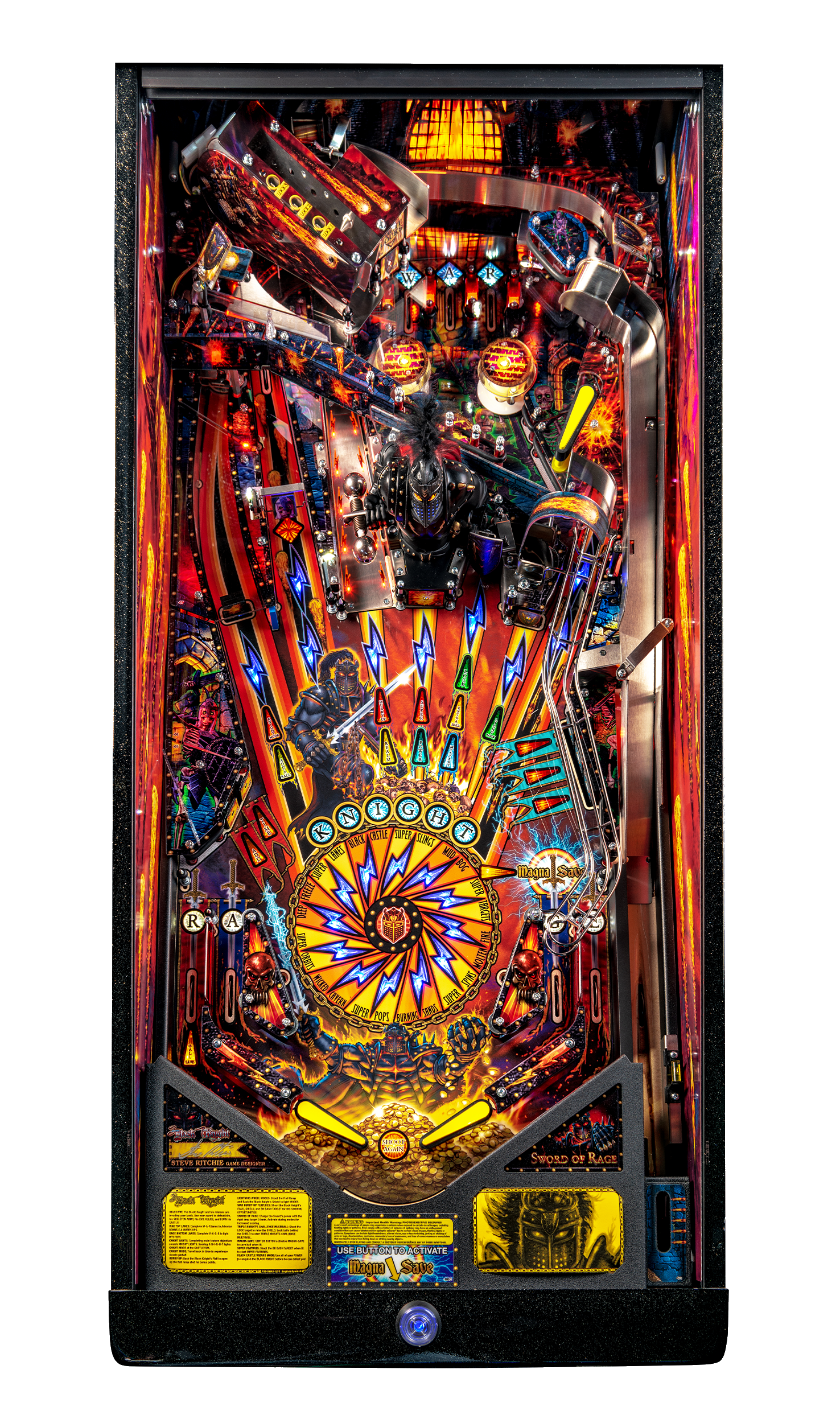
Playfield
Design team
- Art: Kevin O'Connor
- Animation: Zac Stark
- Mechanics: Harrison Drake
- Art: Harrison Drake
- Callouts: Steve Ritchie
- Design: Steve Ritchie
- Concept: Steve Ritchie
- Software: Tim Sexton
- Animation: Joshua Clay
- Mechanics: John Rotharmel
- Software: Mike Kyzivat
- Art: George Gomez
- Software: Waison Cheng
- Mechanics: Elliot Eismin
- Animation: Chuck Ernst
- Software: Lyman F. Sheats Jr.
- Software: Brett Z Rubin
- Animation: Tom Kyzivat
- Sound: Jerry Thompson
- Animation: Danai Kittivathana
- Art: Danai Kittivathana
- Sound: Ken Hale
- Art: Dave Link
- Animation: Alex Borre
- Animation: Mark Galvez
- Software: Tanio Klyce
- Software: Corey Stup
- Software: Mark Guidarelli
- Music: Brendon Small
- Music: Scott Ian
Sources
This overview was written by Pinguide's AI from the sources below. For rule details that matter, check the original rulesheet.
- pinballrulesheets.com (opens in a new tab) ↗
- sternpinball.com (opens in a new tab) ↗
- kineticist.com (opens in a new tab) ↗
Updated 2026-11-22.