Elton John
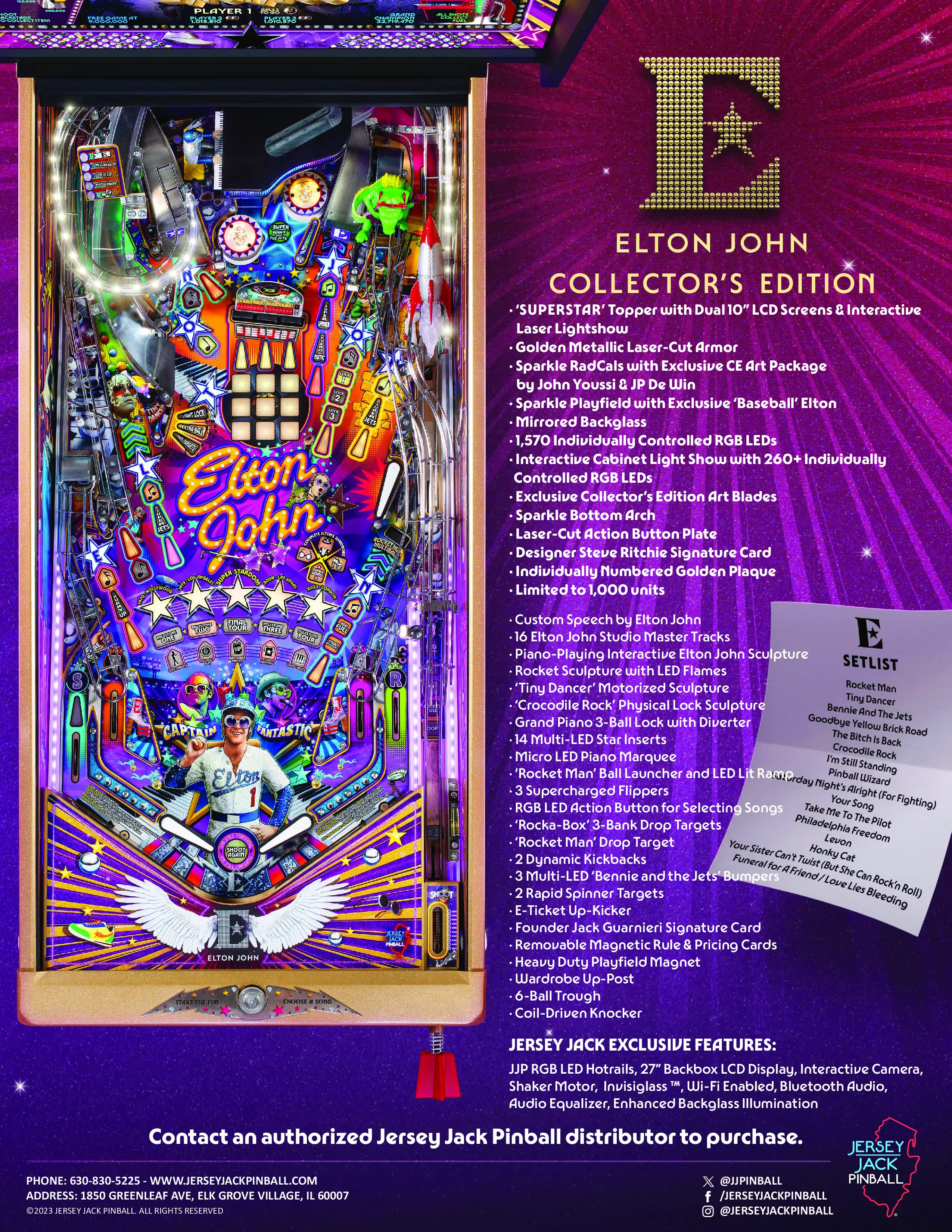
Elton John is a Jersey Jack Pinball machine designed by Steve Ritchie, released in November 2023, that chronicles the musician's career through song-based play, albums, and milestones. Its distinctive hook is that players pick one of fifteen songs at the start of the game and then work through three levels of note-collecting shots, with wardrobe items adding bonuses along the way.
Getting started
- Pick your song at the very start of the game, since it is the only chance to choose one.
- Use the skill shot at the start of each ball, timing your plunge so the lit award locks in as the ball passes the opto.
- Complete the drop target bank to collect albums, which eventually unlock the encore modes.
- Collect any four milestones to qualify for the Final Tour wizard mode.
Songs and wardrobe items
- Each song has three levels, and the lit note color shows which level you are on.
- Shoot the flashing note shots to advance a song and light wardrobe items at the backstage shot.
- Collecting all three wardrobe items in one song unlocks victory laps for the rest of that song.
Multiball modes
- Crocodile Rock multiball is started by locking balls in the hidden VUK under the crocodile toy, with locks lit by hitting the Tiny Dancer target.
- Rocket Man multiball is started at the rocket kicker once enough fuel has been loaded into the rocket.
- Signature Stage multiballs are started at the side ramp after spelling ELTON JOHN with the stars and locking balls in the piano.
Playfield
Design team
- Mechanics: Dan Molter
- Software: Bill Grupp
- Animation: Olaf Gremie
- Art: Christopher Franchi
- Design: Steve Ritchie
- Art: John Youssi
- Software: Joe Katz
- Animation: Mark Molitor
- Design: Mark Seiden
- Mechanics: Chris Talko
- Animation: Jean-Paul de Win
- Art: Jean-Paul de Win
- Mechanics: Nick Jensen
- Software: Duncan Brown
- Mechanics: Ernesto Velazquez
- Software: Ted Estes
- Software: Jason Allen
- Mechanics: Dan Lachcik
- Mechanics: Tony Tumminaro
- Software: Taylor Snyder
- Mechanics: Eric Miller
- Mechanics: Ashley Peterson
- Sound: Pierce Colbert
Sources
This overview was written by Pinguide's AI from the sources below. For rule details that matter, check the original rulesheet.
Updated 2026-11-22.