Game of Thrones Pinball
Game of Thrones Pinball is a Stern machine where the player picks one of seven houses at the start, gaining that house's persistent perks and a one-time Action Button power. Its distinctive play centers on stacking house modes, building playfield and combo multipliers, and chasing huge jackpots in multiball and wizard modes.
Ask Pinguide about Game of Thrones Pinball
Choosing a house
- At the start of a game you pick one of seven houses, and that house gives you a persistent benefit plus an Action Button power.
- The Action Button power can be used once per ball in most cases and is ready when the button is solidly lit in your house color.
- Some houses, such as Martell, are often recommended to newer players because their Action power is simple to use during multiball.
Starting multiball and modes
- Blackwater Multiball is the main multiball and is started by locking balls at the left ramp after lighting locks with the standup targets on the right.
- Qualified house modes are started by shooting the left ramp when the mode start light is lit, and you can often stack two modes at once.
- Modes are timed, so a failed mode generally has to be restarted by shooting the left ramp again.
Multipliers and scoring
- Repeated hits to the battering ram raise the playfield multiplier, and combo shots raise the combo multiplier.
- The two multipliers multiply each other, so a high combo shot taken during a high playfield multiplier scores very well.
- Large scores usually come from one or two very large jackpots rather than many small ones.
Playfield
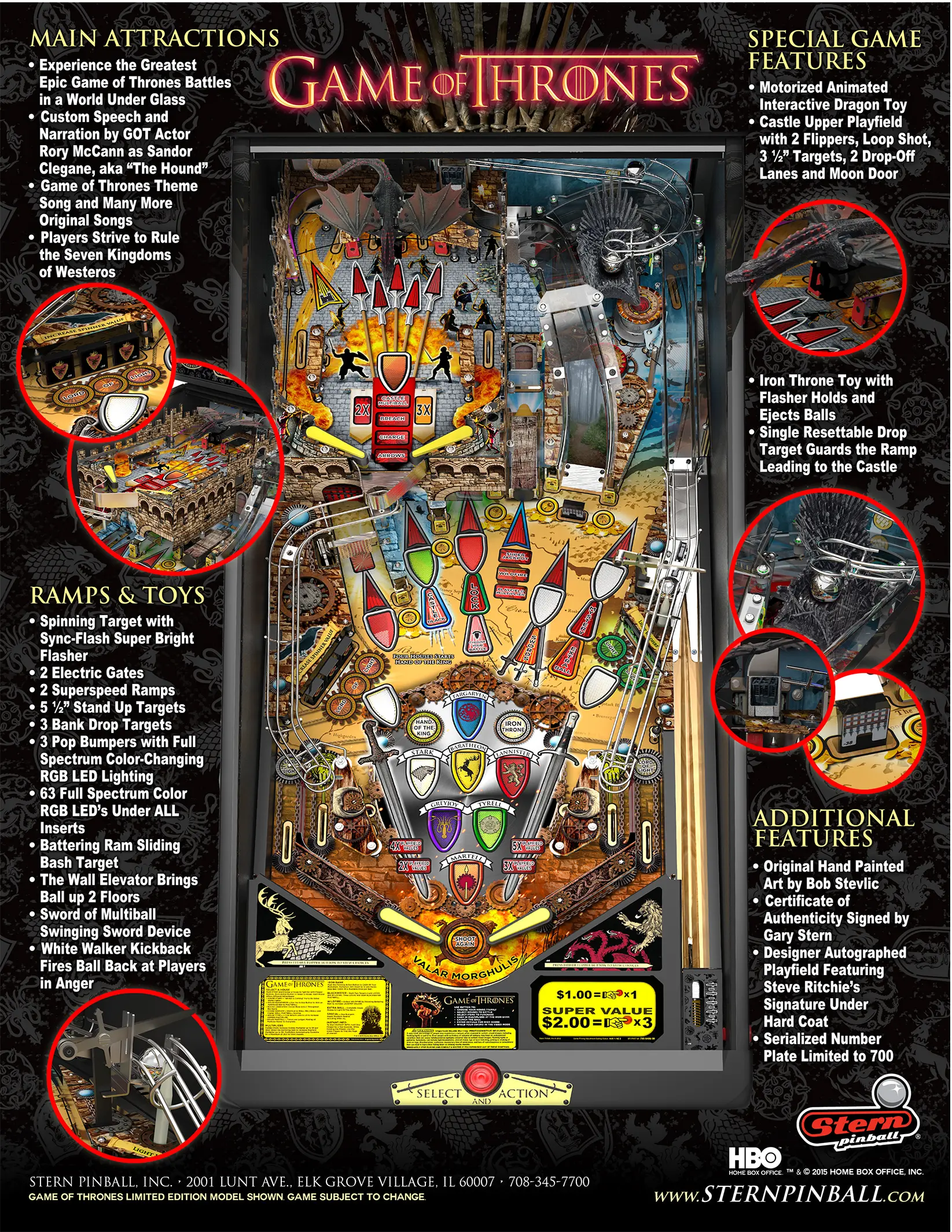
Design team
- Software: Dwight Sullivan
- Art: Greg Freres
- Animation: Zac Stark
- Mechanics: Robert Blakeman
- Design: Steve Ritchie
- Art: Dave Link
- Animation: Chuck Ernst
- Software: Waison Cheng
- Mechanics: John Rotharmel
- Mechanics: Tom Kopera
- Animation: Danai Kittivathana
- Software: Tanio Klyce
- Animation: Mark Galvez
- Software: Mike Kyzivat
- Animation: Tom Kyzivat
- Software: Corey Stup
- Animation: Alex Borre
- Software: Lonnie D. Ropp
- Software: Jack Benson
- Mechanics: Mike Redoble
- Sound: Ron Ivan Staley
- Sound: Jon Hey
- Animation: Kevin James
- Art: Bob Stevlic
- Sound: Ken Hale
- Sound: Jerry Thompson
- Music: Brian Schmidt
Sources
This overview was written by Pinguide's AI from the sources below. For rule details that matter, check the original rulesheet.
- pinballrulesheets.com (opens in a new tab) ↗
- sternpinball.com (opens in a new tab) ↗
- kineticist.com (opens in a new tab) ↗
Updated 2026-11-22.