Guns 'n Roses (JJP)
Guns 'n Roses (JJP) is a pinball machine built around collecting the band's seven members and then playing full songs from four albums, with each song broken into waves and a central scoop driving progress. Its signature feel comes from the Rock-It Meter, the Power Chord and Applause Jackpot systems, and album modes that reward playing songs from each record.
Ask Pinguide about Guns 'n Roses (JJP)
Starting a song
- Collect the seven band members by hitting their shots until their revolver inserts go solid.
- Once a member is collected, lock balls by shooting the left ramp, and a locked set of balls is what drives the song's starting value.
- Shoot the center scoop after collecting the band to start a song.
Booster multiballs
- Booster multiballs can make it easier to collect band members, lock balls and advance toward starting a song.
- Each booster multiball is started by its own lit insert and can be played once before a song begins.
- Make Some Noise, Throw the Lights, Ignite the Flames and Turn it Up each have their own start method and jackpot style.
Playing songs and the Rock-It Meter
- Each song has several stages, and the center scoop must be hit when a stage completes to move on.
- Keeping the Rock-It Meter full by making lit shots can earn an Encore when you finish a song.
- Hitting the scoop in the last seconds of a song collects the Applause Jackpot, so the song jackpot is lost if you miss it.
Newer players
- Live and Let Die from Use Your Illusion I is described as a good starting song because of its short length.
- Pay attention to the song you are given, since manually changing songs costs song level.
Playfield
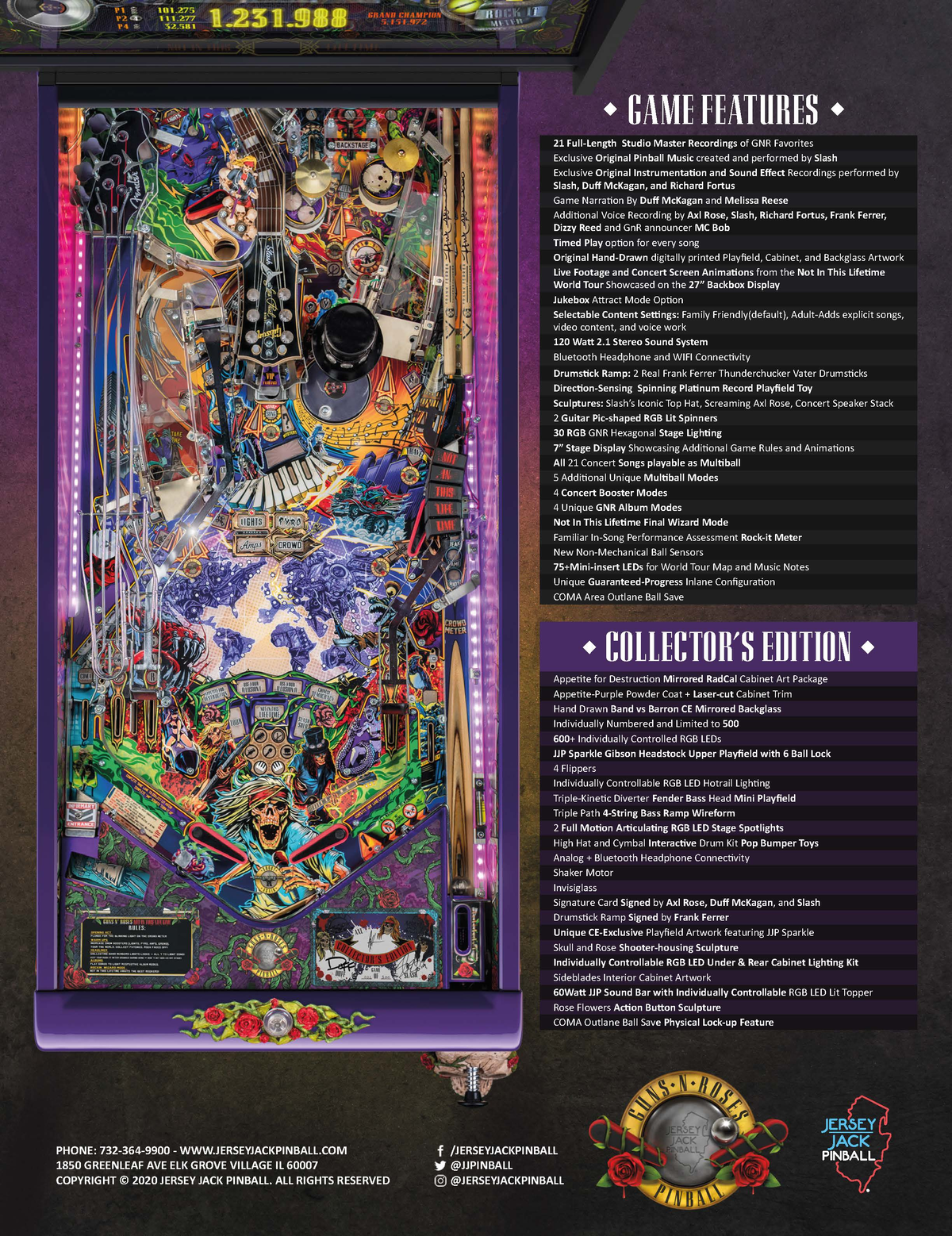
Design team
- Design: Eric Meunier
- Animation: Jean-Paul de Win
- Art: Jean-Paul de Win
- Callouts: Duff McKagan
- Software: Keith P. Johnson
- Mechanics: Wally Welch
- Art: Mark Molitor
- Animation: Mark Molitor
- Software: Bill Grupp
- Mechanics: Dan Molter
- Art: Dayne Henry Jr
- Callouts: Melissa Reese
- Design: Slash
- Music: Slash
- Sound: Slash
- Software: Ted Estes
- Mechanics: Peter Dorn
- Software: Duncan Brown
- Mechanics: James Piekarz
- Software: Joe Katz
- Software: JT Harkey
- Art: Arian Buhler
- Art: Jesper Abels
- Animation: Jerome Dewin
- Music: Vikas Deo
- Sound: Vikas Deo
Sources
This overview was written by Pinguide's AI from the sources below. For rule details that matter, check the original rulesheet.
Updated 2026-11-22.