Harry Potter
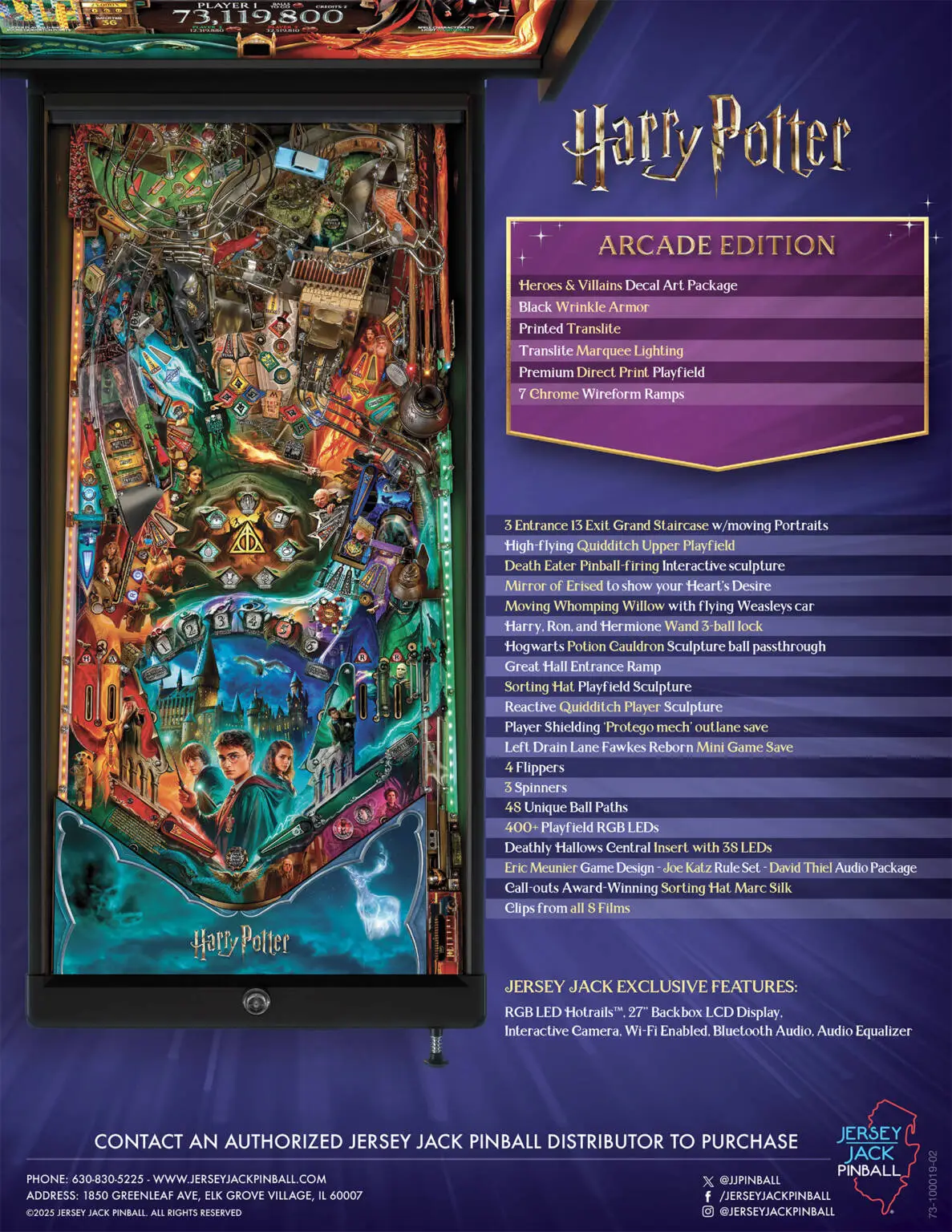
Harry Potter is a 2025 JJP pinball machine designed by Eric Meunier that follows the film series through a school-year structure, Diagon Alley shops, and a set of multiball modes. Its distinctive hook is collecting the seven Horcruxes, which unlocks the final wizard mode and ties most of the game's goals together.
Ask Pinguide about Harry Potter
Starting Explore Hogwarts Multiball
- Spot all eight banners at the top of the screen by shooting the center ramp and the right ramp, which light banners on each side.
- Your first qualification can be quicker because both green and both yellow banners start out spotted.
- During the multiball, jackpot shots are lit and collecting four jackpots lights a roving super jackpot.
- Collecting a super jackpot during this multiball awards the Ring Horcrux.
Golden Trio Multiball
- Light the wand lock by completing the spellouts for Harry, Ron and Hermione so that three balls get locked at the wand.
- Each Golden Trio member has a color-coded jackpot that relights after you hit their related shots.
- Scoring a set of matching jackpots lights the wand jackpot, and the third wand jackpot must be followed quickly by locking balls for the super jackpot.
- A super jackpot from this multiball awards the Cup Horcrux.
Learning the Horcruxes and Wizard Mode
- There are seven Horcruxes, each earned through a specific goal such as a super jackpot in a multiball or starting Death Eater multiball.
- The Horcruxes can be collected in any order.
- Collecting all seven lights The Boy Who Lived wizard mode, where you battle Voldemort.
- The final battle details are not fully documented in the available sources.
Playfield
Design team
- Design: Eric Meunier
- Software: Joe Katz
- Art: Jesper Abels
- Callouts: Marc Silk
- Mechanics: Dan Lachcik
- Animation: Johnny Wiegel
- Software: Bill Grupp
- Mechanics: Nick Jensen
- Software: Duncan Brown
- Software: Jason Allen
- Software: Taylor Snyder
- Animation: Olaf Gremie
- Music: Pierce Colbert
- Electronics: Will Mercado
- Music: David Thiel
- Sound: David Thiel
- Electronics: Luna Silverfang
- Electronics: Joe Ernest
- Electronics: Eric Miller
Sources
This overview was written by Pinguide's AI from the sources below. For rule details that matter, check the original rulesheet.
Updated 2026-11-22.