Led Zeppelin
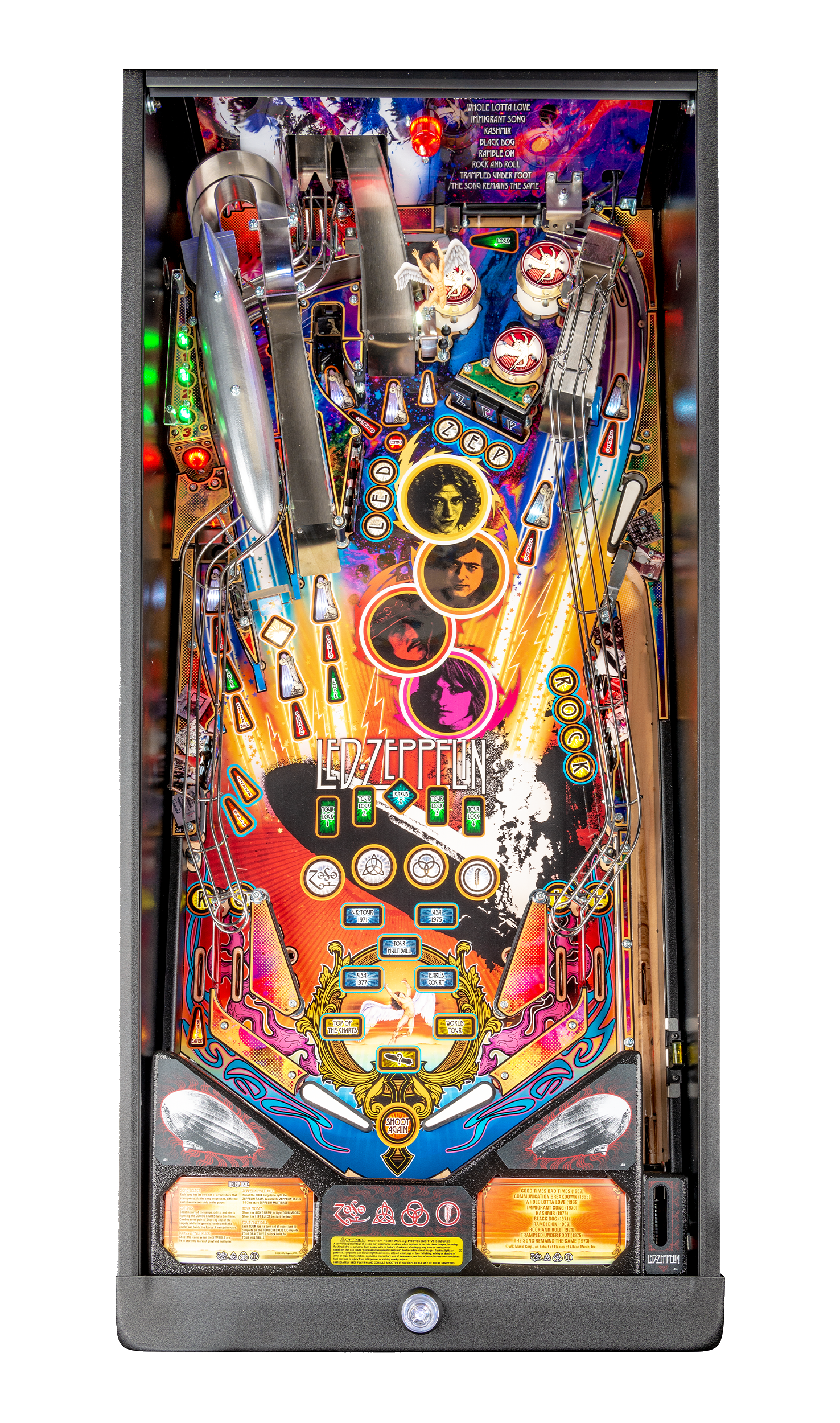
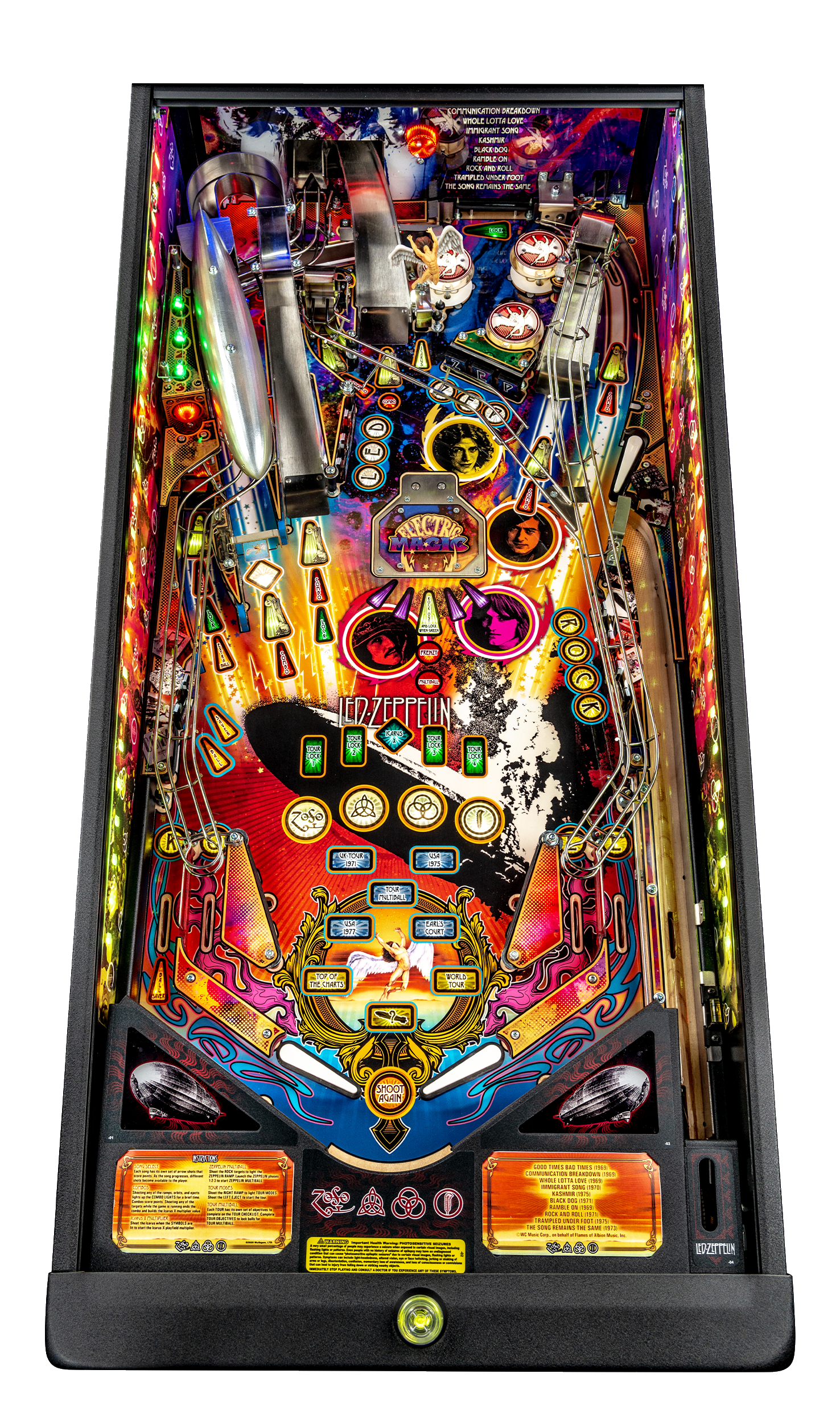
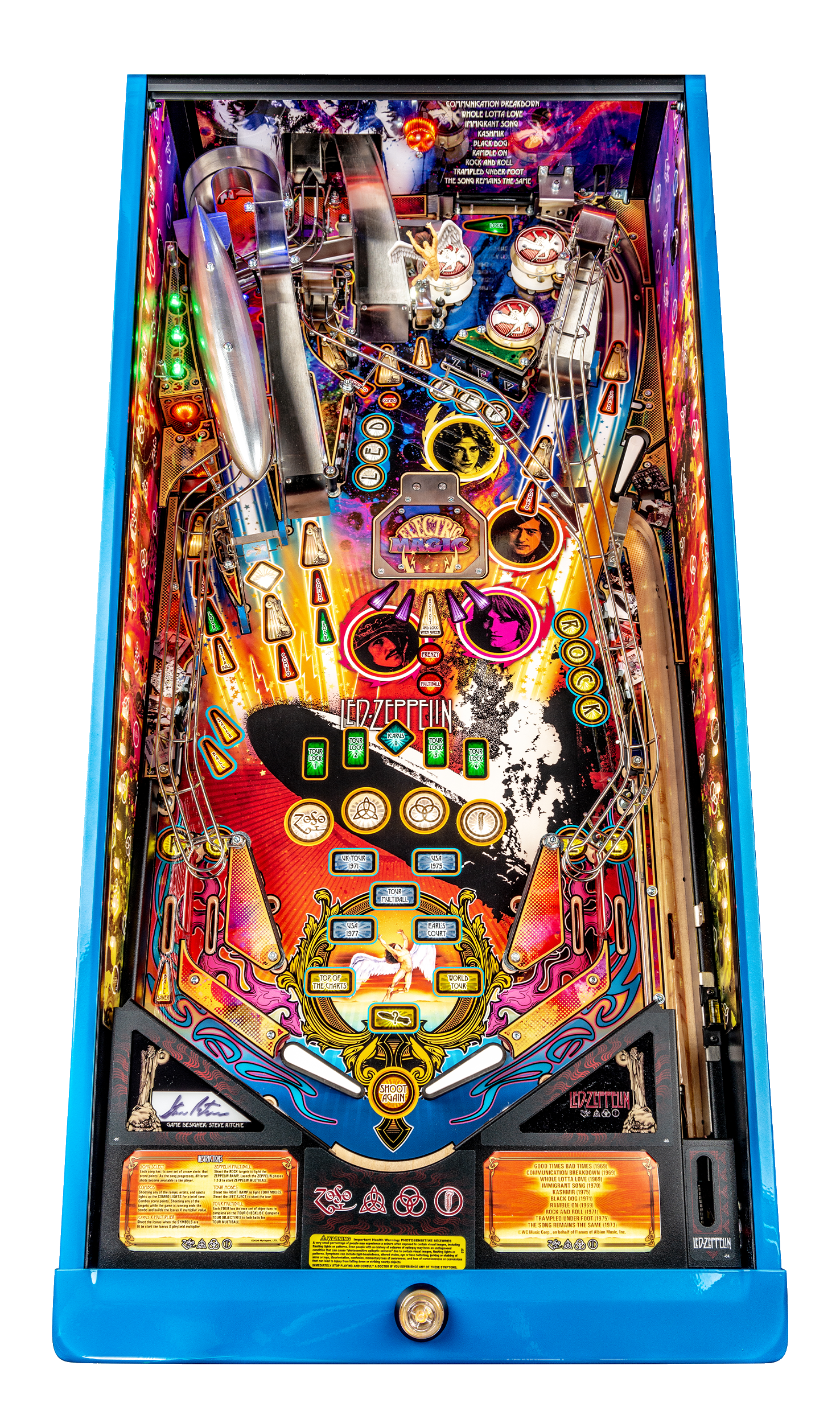
Led Zeppelin is a Stern pinball machine released in January 2021, designed by Steve Ritchie and built around the band's music, with each song mode lighting shots in sync with the song's sections. Its distinctive features are the rotating lit-shot song modes, the Icarus X playfield multiplier built from combos and target banks, and a wide variety of multiball modes.
Ask Pinguide about Led Zeppelin
Starting a ball and song modes
- Choose a song mode at the start of each ball, since a song runs continuously through the ball and moves on to the next one when it ends.
- Shoot the lit shots that change with the song's sections to earn record sales, which convert into gold records.
- Completing a song's five gold records lights Change Song at the right orbit, letting you switch to a new song.
- During guitar solos, looping the center ramp is a reliable way to earn points, according to the tutorial.
Icarus X and combos
- Build combos by shooting lit combo shots in quick succession, then end them at a target bank to raise that bank's multiplier.
- Complete all four target banks to light the Icarus target for the timed playfield multiplier.
- Keep the four bank multipliers roughly even, since one large multiplier with small ones gives a smaller Icarus X than four average ones.
- Band Boosts, activated with the action button when flashing green, can complete a combo instantly.
Multiballs for new players
- Zeppelin Multiball starts by shooting the left ramp three times to lock balls, with later attempts requiring the ROCK bank to be completed first.
- Tour Multiball begins by shooting the left eject to choose a tour, then completing that tour's objectives before shooting the left eject again.
- Electric Magic multiballs are available only on Premium and Limited Edition machines and require completing the LED and ZEP banks before spinning the Electric Magic spinner.
- Icarus target shots can add balls during multiball, and the tutorial advises prioritizing whichever multiball is easiest to reach.
Playfield
Design team
- Animation: Chuck Ernst
- Callouts: Brendon Small
- Art: Greg Freres
- Design: Steve Ritchie
- Mechanics: John Rotharmel
- Software: Tim Sexton
- Software: Dean Grover
- Art: Stephen Jensen
- Animation: Kitti Neko
- Software: Raymond Davidson
- Sound: Bob Baffy
Sources
This overview was written by Pinguide's AI from the sources below. For rule details that matter, check the original rulesheet.
- pinballrulesheets.com (opens in a new tab) ↗
- sternpinball.com (opens in a new tab) ↗
- kineticist.com (opens in a new tab) ↗
Updated 2026-11-22.