Sonic the Hedgehog
Sonic the Hedgehog is a 2026 JJP pinball machine designed by Steve Ritchie, in which Sonic and friends work to stop Eggman while collecting Chaos and Master Emeralds in pursuit of Super Sonic. Its distinctive play comes from progressing through seven zones, each ending in a boss battle against Eggman, with a mix of lower-playfield shots and expert shots on an upper lab playfield.
Ask Pinguide about Sonic the Hedgehog
Zones and Boss Battles
- Your main goal is to complete zones by reaching checkpoints and then reaching the Goal Ring.
- Shot values in a zone vary by difficulty, and the 3x expert shots sit on the upper playfield with flashing blue lights.
- Once you reach the Goal Ring, your zone score is ranked before the boss fight begins.
- Defeating each boss gives an award that changes from one boss to the next.
Multiball and Bash Dash
- Only one multiball can run at a time, though they can stack with an active zone until you reach the Goal Ring.
- Chaos Emerald Multiball starts by locking balls in the inline drop targets near the right ramp.
- Sonic Heroes Multiball starts once you collect all three members of one hero team through the HERO inlanes.
- Bash Dash is a jackpot multiplier that you build by holding the ball at the left standup target during multiball.
Chaos Control and Emeralds
- If you hold any Chaos Emeralds, the action button freezes active game timers for a set time per emerald.
- Each Chaos Emerald color gives a different perk tied to a playfield feature, and on normal settings the colors are randomized.
Playfield
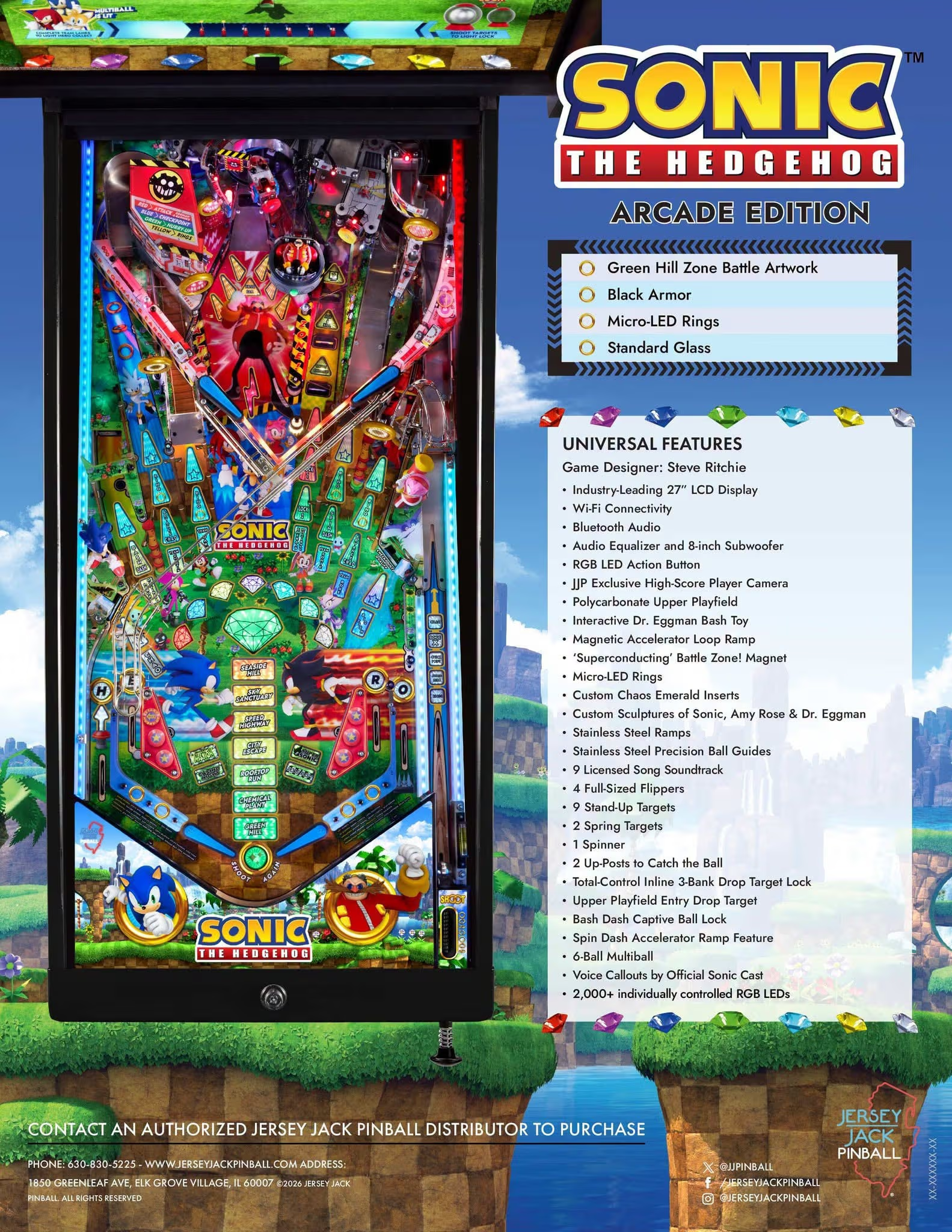
Design team
- Software: Bill Grupp
- Software: Duncan Brown
- Software: Taylor Snyder
- Sculpts: Lars Scholten
- Music: Slash
- Mechanics: Cam Mastoras
- Design: Steve Ritchie
- Mechanics: Mike Vega
- Production Support: Brad Smith
- Electronics: William Ray
- Electronics: Luna Silverfang
- Mechanics: Myles Emmons
- Animation: Bobby Llereza
- Sculpts: Bobby Llereza
- Production Support: Kate Lawinger
- Mechanics: Dan Lachcik
- Animation: Olaf Gremie
- Animation: Johnny Wiegel
- Production Support: Krystle Gemnich
- Electronics: Eric Miller
- Sound: Pierce Colbert
- Mechanics: Zofia Ryan
- Producer: Debbie Holstein
- Art: Darryl Young
Sources
This overview was written by Pinguide's AI from the sources below. For rule details that matter, check the original rulesheet.
Updated 2026-11-22.