Star Trek
Star Trek is a 1979 Bally solid-state pinball machine and the first of many Star Trek themed games, notable for a rare custom evil-mirror twin variant. Its distinctive play centers on building a bonus multiplier through drop targets, collecting BALLY letters, and a set of mode levels that each escalate in difficulty.
Bonus and multiplier basics
- Completing the drop target bank raises your bonus multiplier, which can reach 3X for a high bonus total.
- The right-side warp speed chute is the bonus collect lane and returns the ball to the plunger, so shoot it when your bonus is worth collecting.
- Completed and partial BALLY letter sets carry over from ball to ball, so progress on them is not lost on a drain.
Playfield risk
- Many of the primary shots, including the drop targets, bonus lane and left orbit, feed the bumpers, so keeping the ball alive is a constant challenge.
- Bumper area exits often drop into the slingshots or drain directly, so watch those lanes closely.
Modes and mode levels
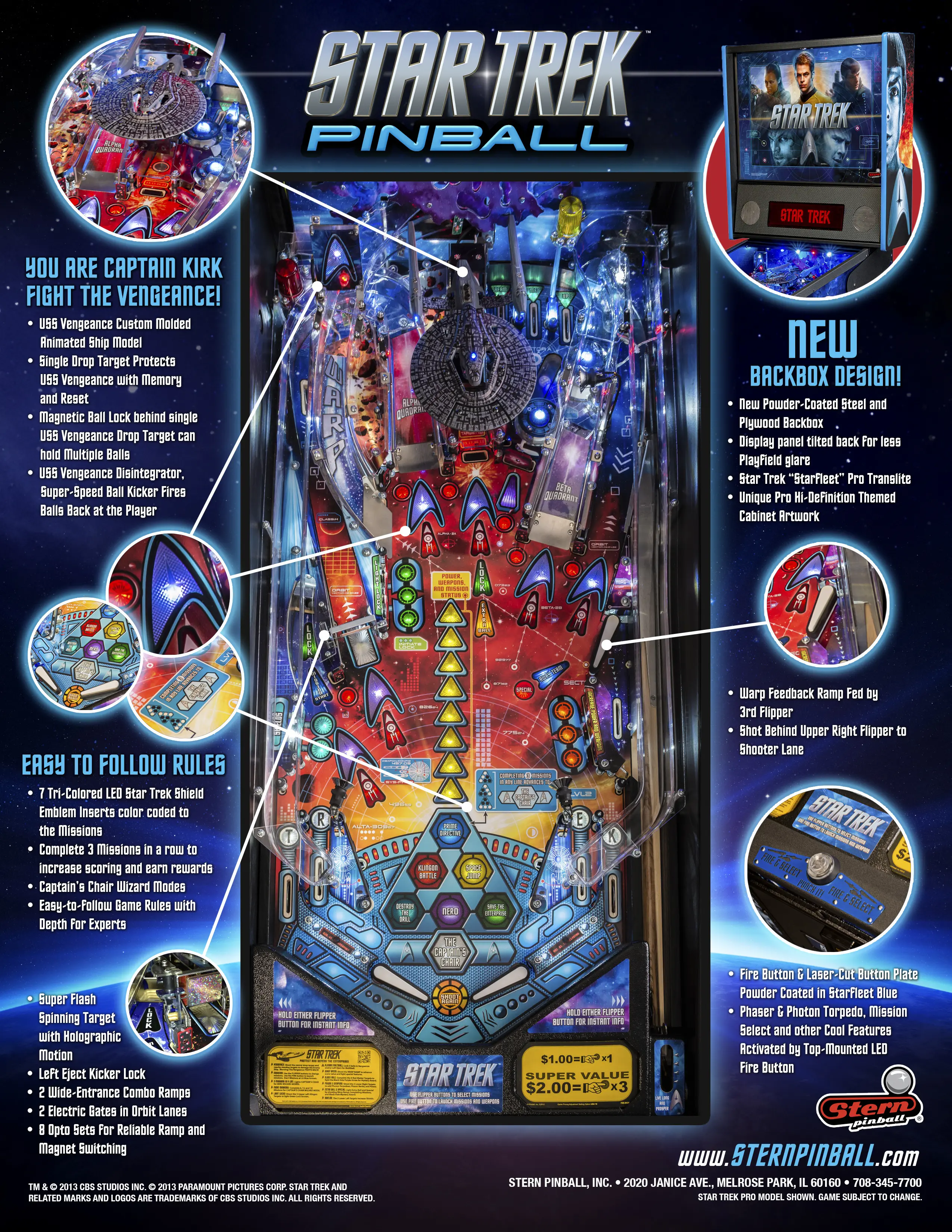
- Modes such as Prime Directive, Space Jump, Save the Enterprise, Nero, Destroy the Drill and Klingon Battle each have progressive levels, with a completion reward granting a 2X shot for the rest of the game.
- Early mode levels use a short timer and lit shots, while later levels may remove the timer and use more complex shot patterns.
Playfield
Design team
- Mechanics: Tom Kopera
- Software: Waison Cheng
- Design: Steve Ritchie
- Concept: Steve Ritchie
- Software: Tanio Klyce
- Software: Lonnie D. Ropp
- Animation: Kurt Andersen
- Music: Ken Hale
- Sound: Ken Hale
- Software: Mike Kyzivat
- Music: David Thiel
- Sound: David Thiel
- Software: Dwight Sullivan
- Mechanics: Robert Blakeman
- Mechanics: Mike Redoble
- Animation: Rory O'Donnell
- Animation: Scott Melchionda
- Animation: Kelly Mazurowski
- Software: Jack Benson
- Art: Steven Martin
- Animation: Jack Liddon
- Animation: Norm Badillo
- Art: Greg Freres
- Animation: Mark Galvez
- Art: John Youssi
- Mechanics: John Rotharmel
- Art: Kevin O'Connor
- Animation: Tom Kyzivat
Sources
This overview was written by Pinguide's AI from the sources below. For rule details that matter, check the original rulesheet.
- pinballrulesheets.com (opens in a new tab) ↗
- rules.silverballmania.com (opens in a new tab) ↗
- sternpinball.com (opens in a new tab) ↗
- kineticist.com (opens in a new tab) ↗
Updated 2026-11-22.