Star Wars: Fall of the Empire
Star Wars: Fall of the Empire is a Star Wars pinball machine designed by John Borg, based on the Original Trilogy and focusing on story beats that earlier Star Wars tables covered less. Its distinctive play centers on Rebel Missions tied to eight characters, each with their own shot maps, scoring buffs and modes, plus layered multiballs and mini-wizard modes. Players progress several main mode sets at once while building toward jackpots and super jackpots.
Ask Pinguide about Star Wars: Fall of the Empire
Getting started
- Use the skill shot at the start of each ball, since hitting a flashing shot quickly earns a bonus super skill shot.
- Spell FORCE to light character shots and start Rebel Missions, which is one of the main mode sets to progress toward.
- Shoot the right ramp to light the Falcon and then use the center ramp to start Falcon features.
- Complete the bottom lanes to light Mystery, and hit the pop bumpers to light a shot multiplier for the next shot.
Rebel Missions
- Each character has missions of increasing difficulty, and completing them unlocks a Bonus Mission with its own shot color.
- Blue shots advance a mission while white shots add scoring without counting toward completion.
- Completed missions and Bonus Missions give a Force Boost that multiplies that character's jackpots during most multiballs.
Multiballs
- Death Star Multiball is started by locking three balls after the Death Star ramp is opened, and scoring jackpots leads to a super jackpot.
- Battle of Hoth Multiball involves locking three balls at the Luke shot and building toward a super jackpot.
- Sarlacc Pit spins during a multiball can light an add-a-ball button.
Playfield
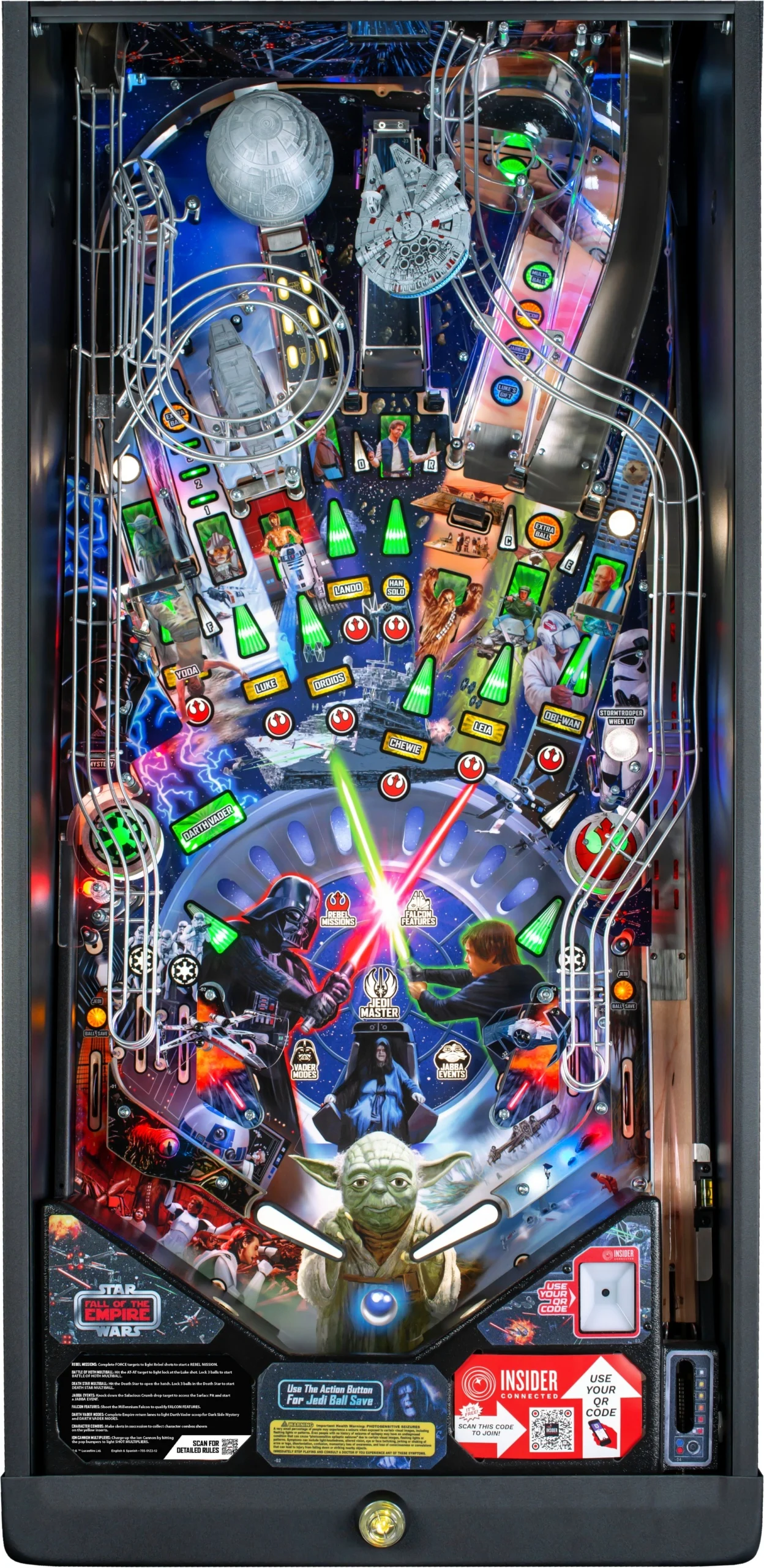
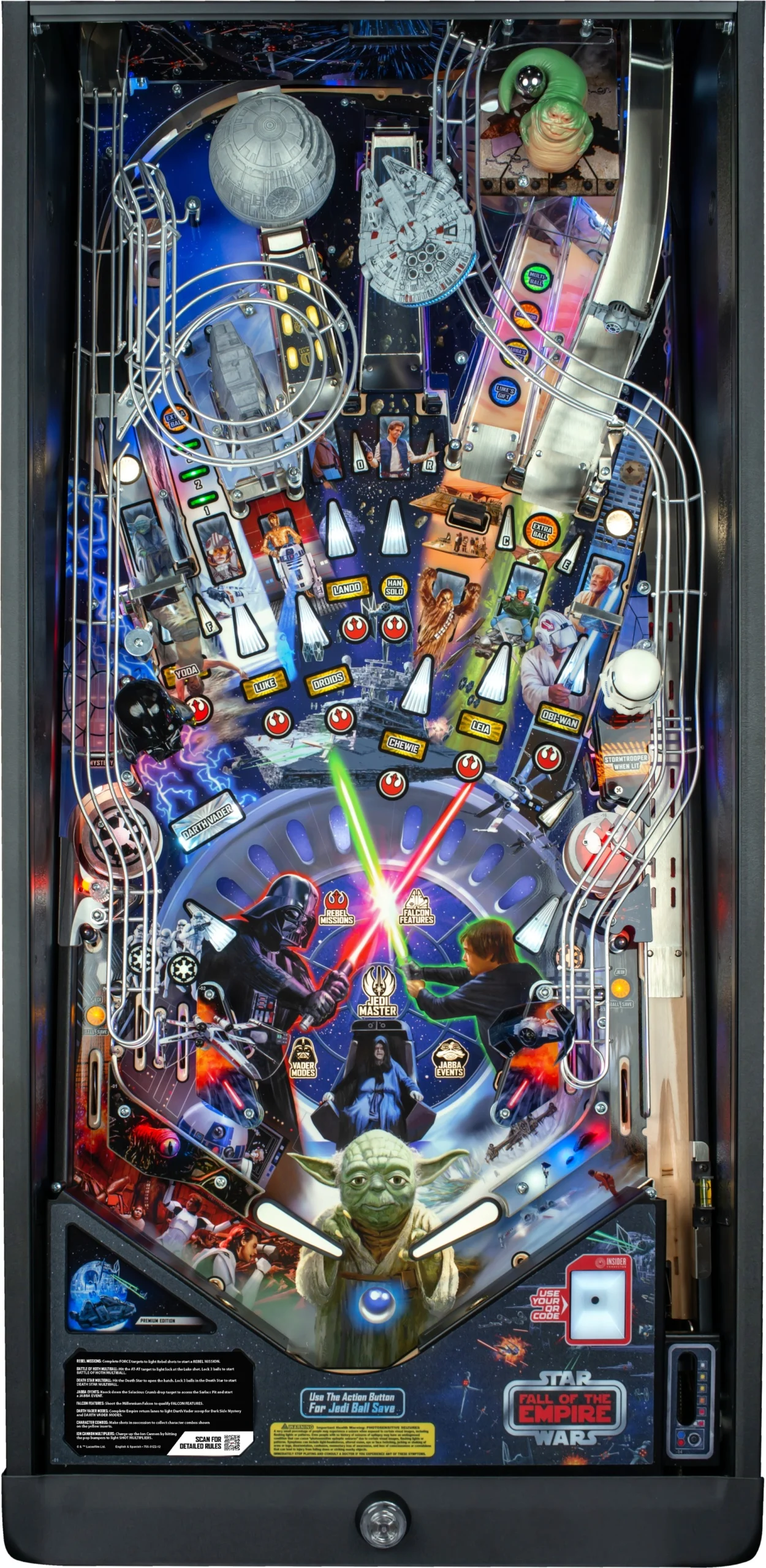

Design team
- Mechanics: John Rotharmel
- Design: John Borg
- Callouts: Chris Bartlett
- Art: Jeremy Packer (Zombie Yeti)
- Software: Raymond Davidson
- Art: Vincent Proce
- Mechanics: Robert Blakeman
- Software: Andrew Wilkening
- Mechanics: Cheryl Lininger
- Software: Mike Vinikour
- Art: Sam Gilbey
- Mechanics: Jim Shird
- Music: Bob Baffy
- Sound: Bob Baffy
- Producer: John Blakely
- Music: Jerry Thompson
- Sound: Jerry Thompson
Sources
This overview was written by Pinguide's AI from the sources below. For rule details that matter, check the original rulesheet.
- pinballrulesheets.com (opens in a new tab) ↗
- sternpinball.com (opens in a new tab) ↗
- kineticist.com (opens in a new tab) ↗
Updated 2026-11-22.