The Mandalorian
The Mandalorian is a Stern pinball machine based on the Disney+ series, where players take on the role of the bounty hunter protecting Grogu across missions, encounters and multiball battles. What sets it apart is its layered progression: Beskar earned in play is spent at the Foundry on equipment and features, and the three Razor Crest multiballs feed into a long wizard path toward the Signet.
Ask Pinguide about The Mandalorian
Starting Multiball with the Razor Crest
- Shoot the centre Razor Crest target with enough force to register direct hits, and each later multiball needs one more hit than the last.
- The flashing green insert decides which of the three Razor Crest multiballs starts, and the BOBA and FETT standup targets can change that choice when no multiball is lit.
- After a multiball is played, completing a Hunter mode relights the Razor Crest for a timed hurry-up.
Earning Beskar and Using the Foundry
- Beskar comes from completing Hunter modes, hitting the left 2x target during Scope, and from the Child mystery award.
- Once enough Beskar is collected, the Foundry lights at the left scoop so you can trade it for equipment and features.
- Item costs rise each time you buy something, so it pays to plan purchases rather than spending early.
Equipment and Playfield Multipliers
- Equipment such as the Flamethrower, Amban Rifle and Whistling Birds gives one-use boosts that you activate with the action button.
- The Flamethrower starts the game ready to use, so it is a good tool for doubling the value of your next shots.
- Three coloured multiplier inserts above the right slingshot each add to playfield scoring, and lighting all three gives a bigger bonus.
Missions and Encounters
- Missions are short timed story modes lit by shooting both ramps, and completing them adds to the end-of-ball bonus.
- Encounters are untimed battles on the mini playfield, started by repeated left ramp shots, and they finish with a timed bonus level.
Playfield
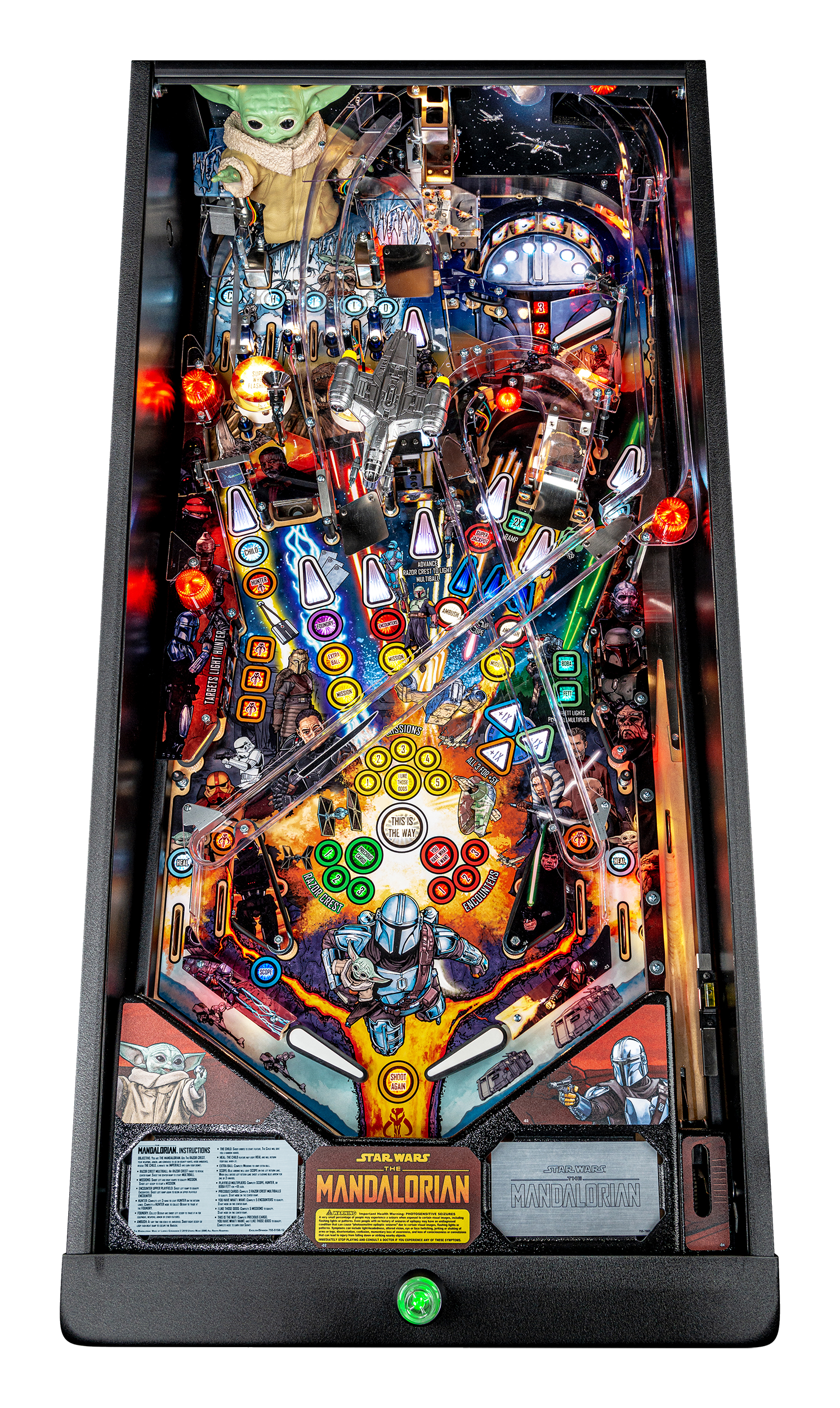
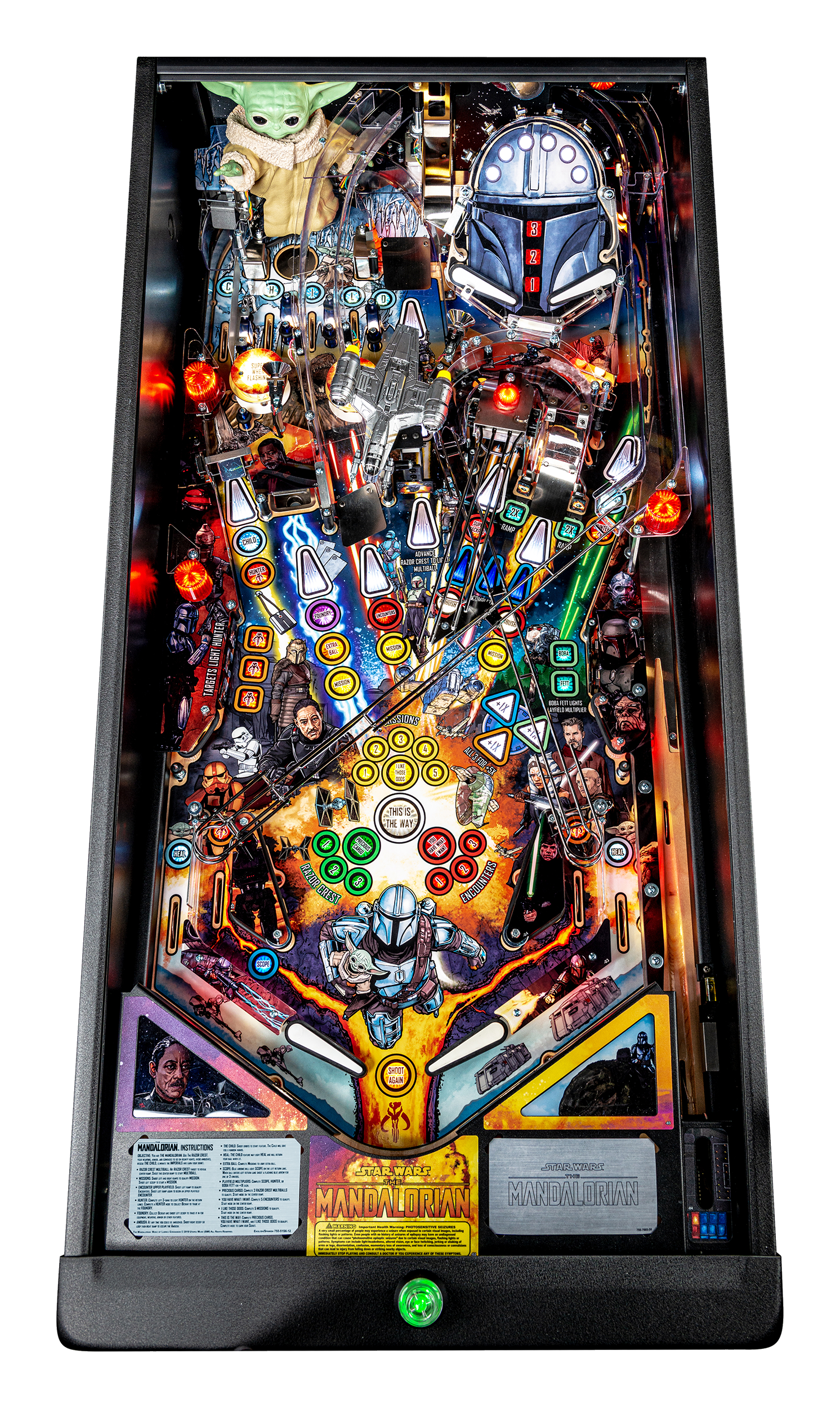
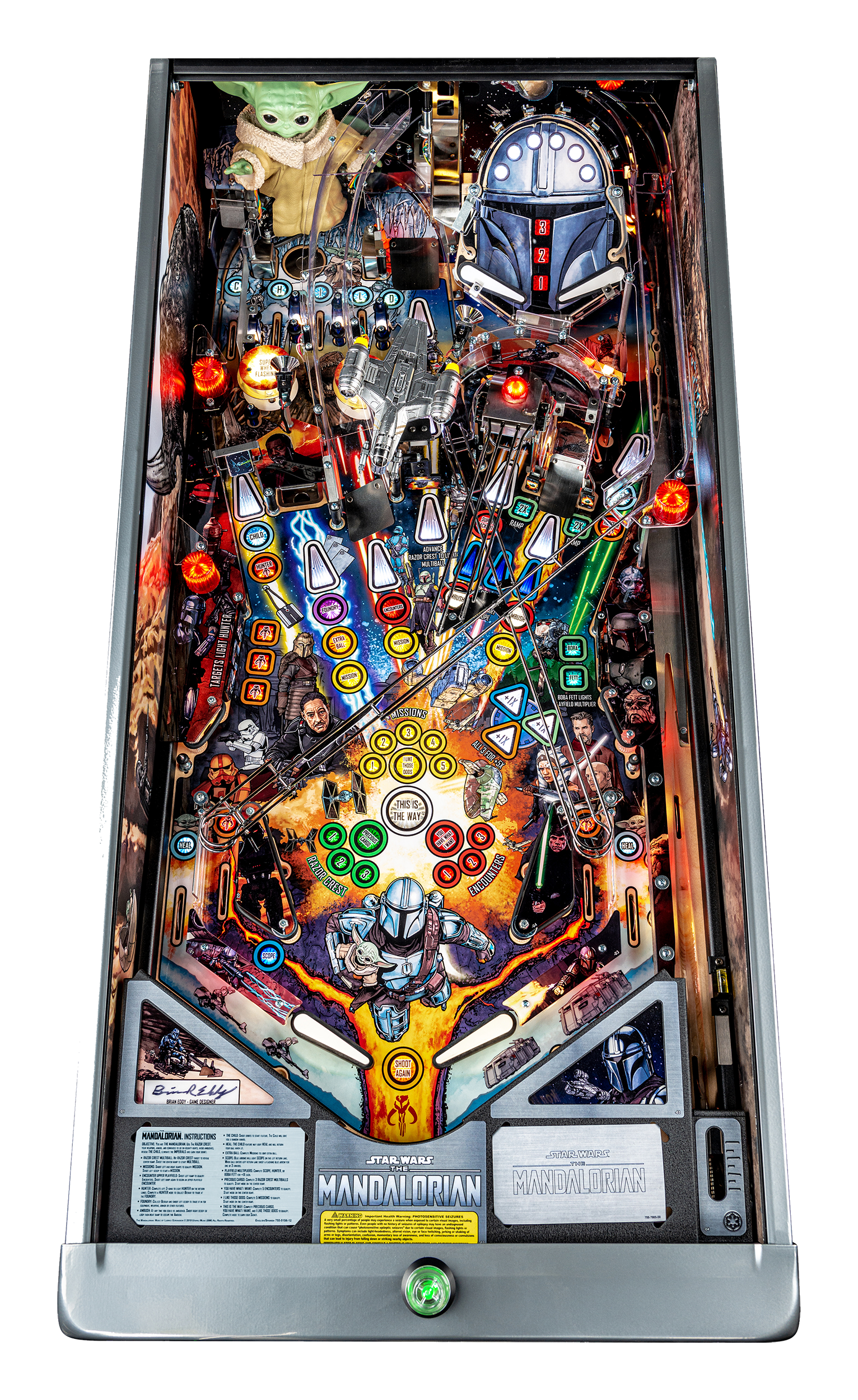
Design team
- Art: Randy Martinez
- Callouts: Carl Weathers
- Software: Dwight Sullivan
- Design: Brian Eddy
- Animation: Olivia Jensen
- Mechanics: Tom Kopera
- Animation: David Liskovec
- Software: Mike Kyzivat
- Software: Dean Grover
- Animation: Paul Chamnankit
- Software: Corey Stup
- Animation: Tom Kyzivat
- Music: Ludwig Göransson
- Music: Shawn Myers
- Sound: Jerry Thompson
Sources
This overview was written by Pinguide's AI from the sources below. For rule details that matter, check the original rulesheet.
- pinballrulesheets.com (opens in a new tab) ↗
- sternpinball.com (opens in a new tab) ↗
- kineticist.com (opens in a new tab) ↗
Updated 2026-11-22.